


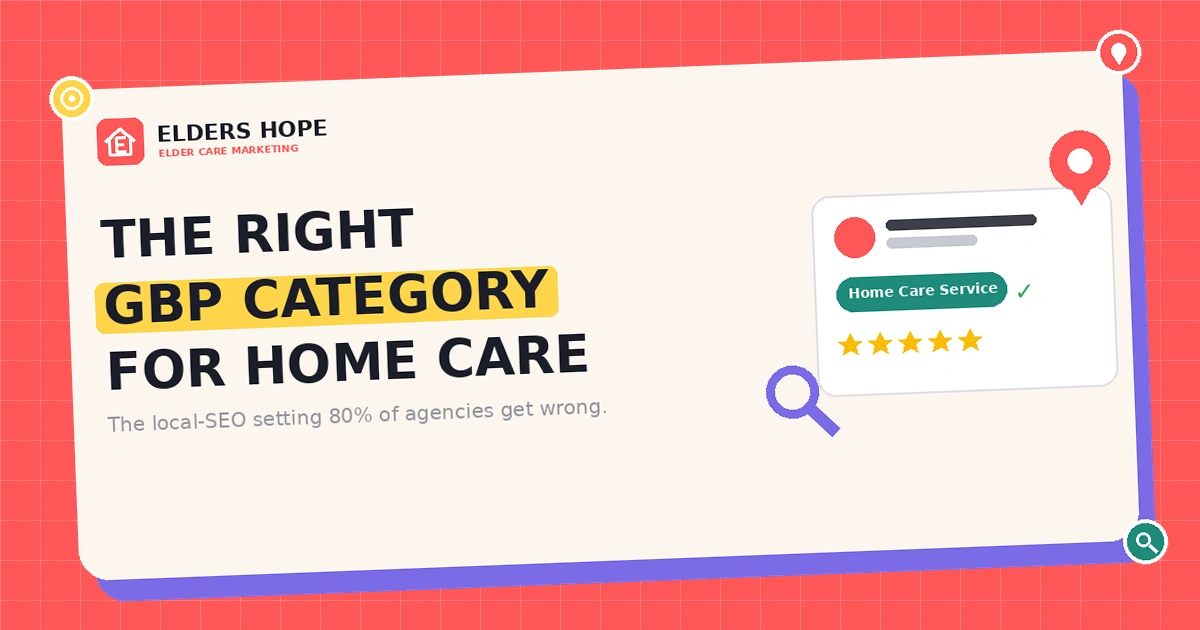
Google Business Profile Category for Home Care: The Right One
When a family in your city types “home care near me” into Google, three businesses show up in the map results before anyone scrolls. Industry studies from BrightLocal suggest most families contact one of those first few results — and research from Whitespark has long shown that the top spot in the Google “Map Pack” pulls dramatically more calls than position three. So the real question for your home care agency isn’t “is my website pretty?” It’s “why am I not in those three results?”
Nine times out of ten, the answer comes down to one setting most agencies get wrong on day one: your home care GBP category — the primary category on your Google Business Profile. It quietly decides which searches you’re even eligible to rank for — and it matters more than your homepage headline ever will. (If you haven’t created your profile yet, start with our guide on how to create a Google Business Profile listing, then come back here to get the category right.)

What a Google Business Profile category actually does
Your Google Business Profile (GBP) category is how you tell Google what your business is. Google then uses that category as one of its strongest signals in local SEO to decide which searches you appear in. You pick one primary category (the most important) and up to nine secondary categories.
Here’s the part most agencies miss: your primary category carries far more weight than your secondary ones, and it influences local ranking more directly than the keywords in your website’s H1 tag. You can write “Home Care in Dallas” across every page on your site — but if your primary category is set to something generic, Google may never show you for the searches that bring in real clients.
The mistake 80% of home care agencies make
When agency owners (or general web designers who don’t know the care space) set up a profile, they reach for whatever sounds close enough. The usual culprits: “Medical Service,” “Health Consultant,” “Caregiver,” or just “Care Services.” These feel right. They’re wrong.
⚠️ The core mistake
Choosing a broad, generic primary category (like “Medical Service”) instead of the specific home-care category Google’s local algorithm is built to recognize. A generic category puts you in a giant, irrelevant pool — and buries you under hospitals, clinics, and dentists you’ll never outrank.
The correct home care GBP category for your agency
There’s no single “right” answer for every agency — your home care GBP category depends on the kind of care you deliver. Pick the one that matches your core service:
Non-medical / personal & companion care → “Home Care Service”
If your agency provides companionship, bathing and dressing help, meal prep, light housekeeping, transportation, or respite — i.e. non-medical support — your primary category should be Home Care Service. This is the category families searching for private-pay senior help are matched to.
Skilled / medical home health → “Home Health Care Service”
If you deliver skilled nursing, wound care, physical therapy, or Medicare-certified clinical services in the home, your primary category should be Home Health Care Service. The wording is almost identical to the option above — and that one word, health, signals a completely different service to Google. Choosing the wrong one of these two is the single most common ranking error in this industry.
What NOT to use as your primary category
- “Medical Service” — far too broad; lumps you in with clinics and hospitals.
- “Caregiver” — reads as an individual job title, not an agency offering services in a service area.
- “Health Consultant” — sends the wrong intent signal entirely.
- “Nursing Home” / “Assisted Living Facility” — only correct if you’re a physical facility, not an in-home provider.
Not sure which category your profile is using right now?
We’ll review your Google Business Profile and tell you exactly what’s holding your local ranking back — free, no obligation.
Get a Free GBP Audit →Secondary categories worth adding
After your primary category, add secondary categories only for services you genuinely provide. Adding irrelevant ones to “cover more ground” can dilute your relevance and confuse Google. Common, legitimate additions for care agencies include:
- Home Health Care Service (if you also offer some skilled care)
- Nursing Agency (if you place or staff nurses)
- Hospice (only if you provide end-of-life care)
- Aged Care / Senior Citizen Center (where applicable to your services)
- Disability Services & Support Organization (if you serve younger disabled clients)

How to set or change your primary category (step by step)
- Sign in to the Google account that manages your business and search your business name on Google, or open the Google Business Profile dashboard.
- Click Edit profile, then open the Business information tab.
- Under the About section, find Business category.
- Set your primary category to the correct option (e.g. “Home Care Service”), then add relevant secondary categories below it. (See Google’s official guide on editing your Business Profile info.)
- Save. Changes may trigger a short re-verification and can take a few days to fully reflect in search.
Note: Google updates its category list periodically, and available categories can vary slightly by country. If you don’t see the exact option, choose the closest specific match — never default back to a broad one.
4 category mistakes that quietly kill your ranking
- Changing your primary category too often. Each change can reset some local trust signals. Choose carefully, then leave it alone.
- Stuffing in unrelated secondary categories. More categories ≠ more reach. Irrelevant ones dilute relevance.
- Letting a generalist agency “guess.” If whoever set up your profile doesn’t work in home care, they almost certainly picked a generic category.
- Mismatched category and website. Your GBP category, website content, and citations should all tell the same story. Conflicting signals confuse Google.
Your category is step one — here’s what compounds it
Getting your home care GBP category right makes you eligible to rank. To actually climb into the top three, it has to work alongside the rest of your local signals: consistent name, address and phone number (NAP) everywhere online; citations on senior-specific directories like Caring.com and A Place for Mom; a steady flow of genuine Google reviews; and city-specific pages on your website. Category is the foundation — the rest is what wins the Map Pack. For the bigger picture, see our ultimate guide to home care agency visibility and the home care SEO mistakes to avoid.
Want to be in the top 3 for “home care near me”?
EldersHope handles the full local SEO stack — GBP optimization, senior-care citations, reviews, and city pages — built only for home care agencies.
See Our Home Care SEO →Related reading
- How to create a Google Business Profile listing for home care
- Home care SEO mistakes you should avoid
- SEO checklist for home care websites
- How home care keywords make your agency stand out
Frequently asked questions
What is the best Google Business Profile category for a home care agency?
For non-medical, personal, and companion care, the best primary category is “Home Care Service.” For skilled or medical in-home care, use “Home Health Care Service.” Avoid broad categories like “Medical Service.”
Can I change my Google Business Profile category later?
Yes. You can edit your primary and secondary categories anytime from the Business information tab. Avoid changing your primary category frequently, as it can reset some local trust signals.
How many categories should a home care business use?
Use one accurate primary category and only the secondary categories that reflect services you actually provide. Adding irrelevant categories can dilute your local relevance rather than expand your reach.
Why does my home care agency not show up in Google Maps?
The most common reasons are an incorrect or generic primary category, inconsistent business information across the web, too few reviews, or a missing/unverified Google Business Profile. Fixing your category is usually the first and highest-impact step.

Tejpal
Elders Hope is a highly experienced development and marketing team, which provides a professional solution for your senior care business.
Our Expertise
Our Services For
Subscribe to our Newsletter
Enter your email address below and subscribe to our newsletter